
Documentation
Shopee Sync Plugin — Full Guide
On this page
- Overview
- Requirements
- Installation
- Shopee Open Platform app
- Connect shops
- Products
- Inventory linking
- Orders & shipping
- Automation & cron
- URLs
- Troubleshooting
Overview
Shopee Sync (shopee-sync) is LiteShoper’s full Shopee Seller Centre connector for supported regions worldwide. Manage listings, stock, orders, logistics, promotions, and documents from LiteShoper admin.
Major features
- Multi-shop support
- Product import from Shopee and export from LiteShoper (batch)
- Two-way inventory sync via SKU linking
- Order import, arrange shipment, print AWB/invoice/picklist
- Returns, promotions (vouchers, flash sale, bundle), autoboost
- First-mile / FBS logistics tools
- Webhooks + cron backup queue
Requirements
- Active Shopee seller account in supported region
- Shopee Open Platform partner app
- Marketplace subscription license
- HTTPS store with cron access
Installation
- Subscribe on liteshoper.com → install
shopee-sync. - Admin menu: Integrations → Shopee.
Registration Shopee API
- If you not yet register API from shopee, you need register at https://open.shopee.com/. If you already it, skip this step
- After open click butter "Get Access Now" and you need fill form like below
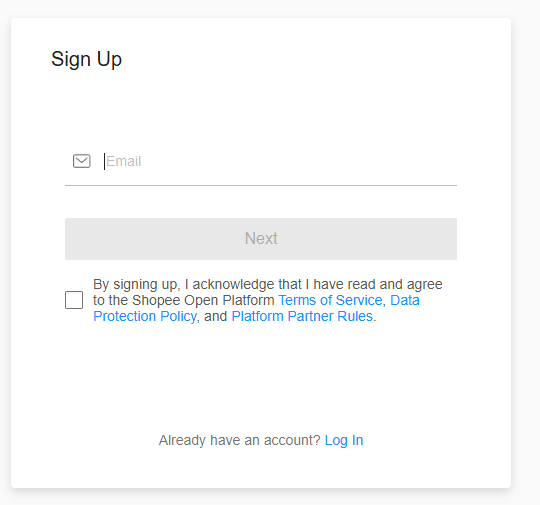
- After Done fill all requirement, shopee will verify and will inform you in 3-5 working days. After success, you can go to next step
Shopee API login
- For login, you need go to page https://open.shopee.com/ , click console button like image below

- For first login, you may get form like below, fill it, if not , skip it
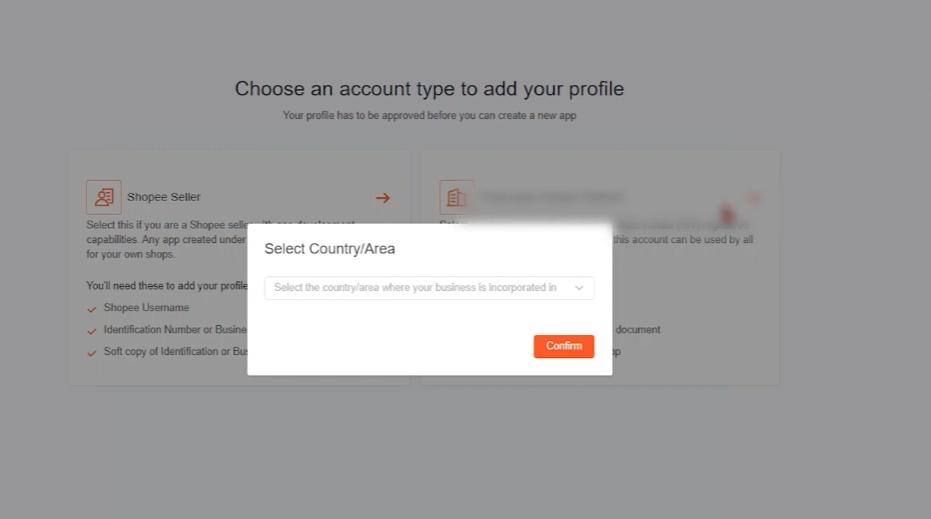
- if you got like image below, if you only have one shopee shop, i recommend choose Shopee Seller for easy step. if you have lot of shopee shop, i recommend choose Third-Party Partner Platform, but lot of verification you need for it(just follow what shopee want). after you choose one of that, it will redirect to form page, fill form into that.
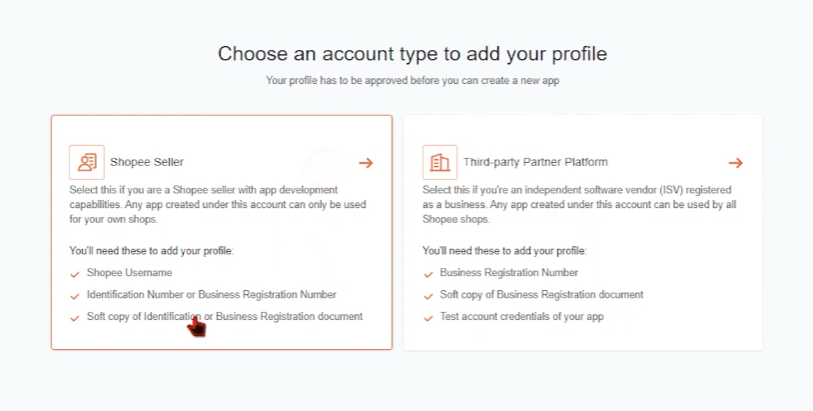
- After you done and its all verified, you can open page https://open.shopee.com/console/app . For that, follow step below
Shopee Open Platform app
- Create app at Shopee Open Platform.
- Copy Partner ID and Partner Key.
- Redirect URL:
https://YOUR-STORE.com/shopee/callback - Push webhook URL:
https://YOUR-STORE.com/shopee/webhook - Enable required API permissions (product, order, logistics, etc.)
- In LiteShoper Shopee → Settings: paste Partner ID/Key, region, sandbox mode.
- Click Verify webhook in Shopee console after saving partner key.
Connect shops
Shopee → Shops → Connect → authorize each seller shop. Repeat for multiple shops.
Products
| Page | Action |
|---|---|
| Import from Shopee | Pull Shopee listings into LiteShoper |
| Export to Shopee | Push LiteShoper products to Shopee (batch) |
| Listing defaults | Category, brand, logistics — required before export |
Inventory linking
Shopee → Link Inventory
- Map LiteShoper product variation ↔ Shopee item/model ID.
- Enable inventory sync per shop.
- Stock changes propagate both directions when configured.
Orders & shipping
- Orders tab: Commerce → Orders → Shopee or Shopee → Orders
- Sync orders from Shopee
- Arrange shipment for READY_TO_SHIP orders
- Print AWB, invoice, packing list, picklist
- AWB design customization under Shopee → AWB Design
Automation & cron
Schedule cron every 5–15 minutes:
GET https://your-store.com/cron/shopee-sync?token=CRON_SECRETCron URL and secret shown in Shopee → Settings / Setup guide.
Processes: order poll, inventory queue, returns, autoboost, auto-arrange shipment, promotions.
Manual Run cron available on Logs page for debugging.
URLs
| Path | Purpose |
|---|---|
/shopee/callback |
OAuth shop connect |
/shopee/webhook |
Push notifications (POST) |
/cron/shopee-sync |
Scheduled sync worker |
/shopee/print/awb |
Print documents |
Troubleshooting
- No connected shops — complete OAuth first
- Export blocked — set Shopee category in listing defaults
- No READY_TO_SHIP orders — sync orders first; check Shopee status
- AWB print fails — arrange shipment first
- Webhook must return 2xx empty body
- Use ngrok for local webhook testing